NurseComm Modules - Free Trial
Thank you for your interest in NurseComm! Below you will find the steps you need to create your account and access the modules for free.
(If you’re feeling tech savy, the code and link are to the right!)
How to Access Your Free Trial
Step 1: Create an Account
Click the link below to log in with any email and password. You will select ‘Log In’ in the right hand corner of your screen. Then select ‘Register Here’
Step 2: Identifty NurseComm Modules
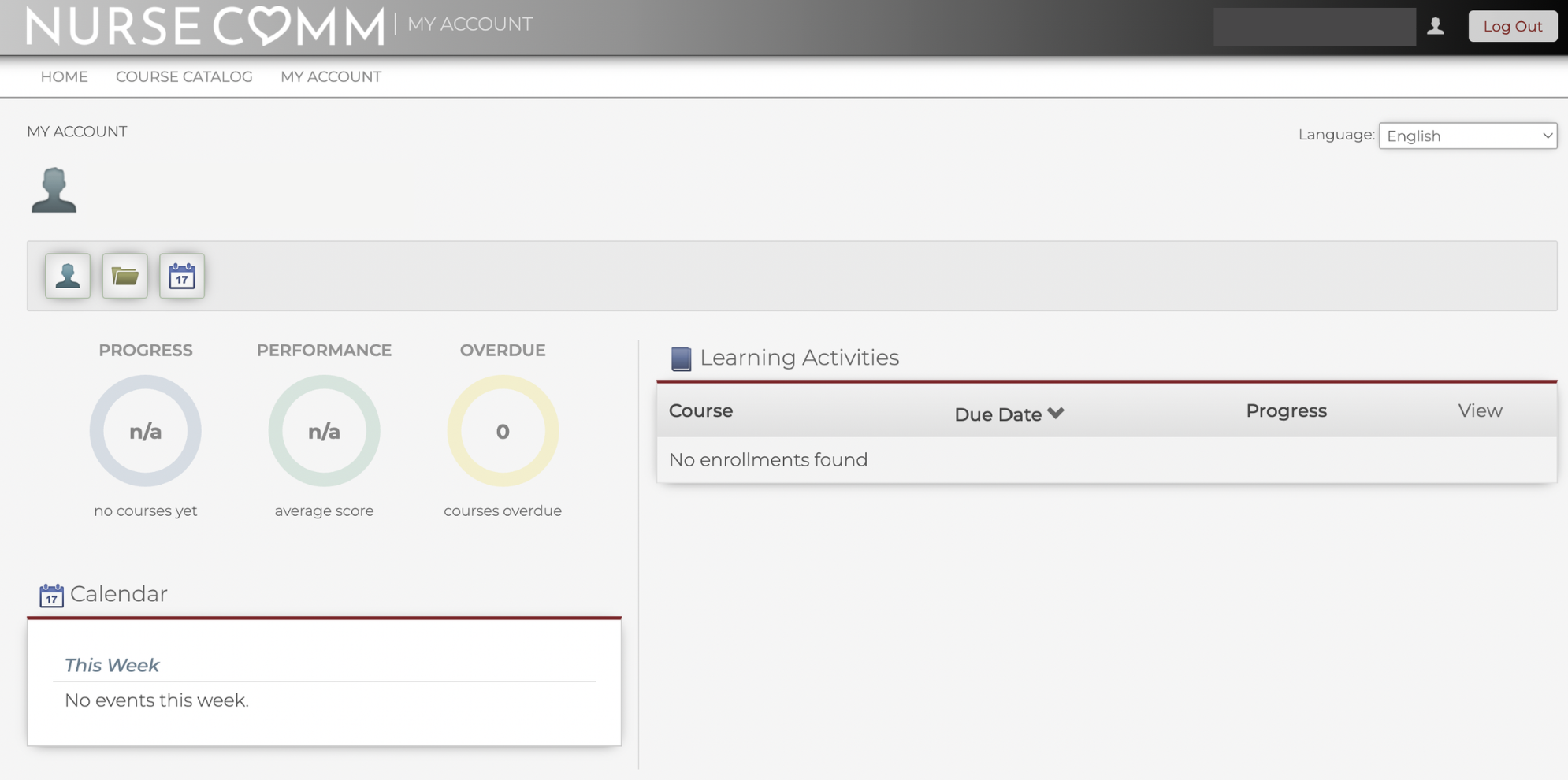
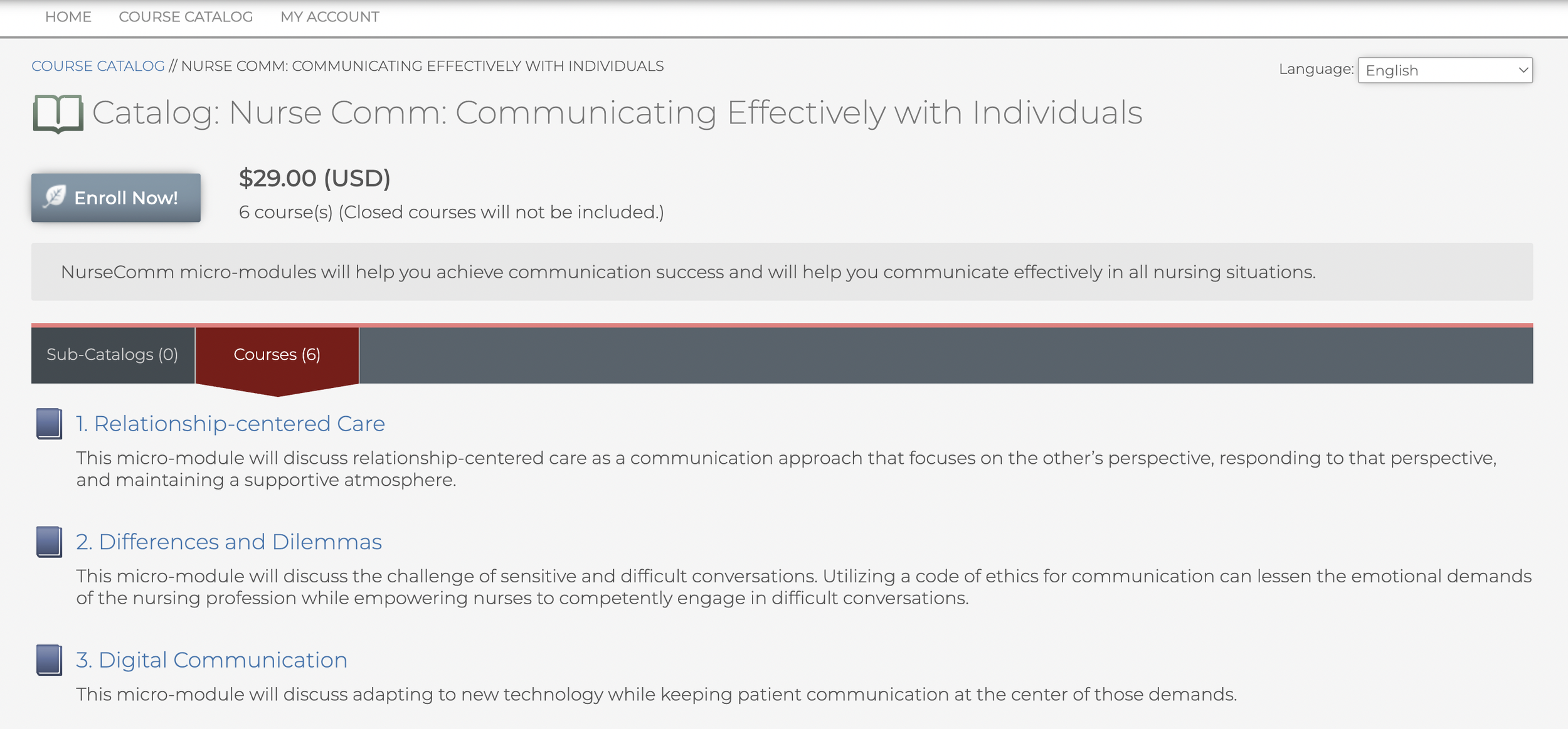
Once you are on this screen. Press ‘Course Catalog’ in the upper left hand corner. This will take you to the modules.
Click on ‘Catalog: Nurse Comm: Communicating Effectively with Individuals’
You will now see all six parts of the series and are ready to enroll!
Step 3: Enroll in NurseComm Modules
Now select ‘Enroll Now’ in the top left hand side of your screen.
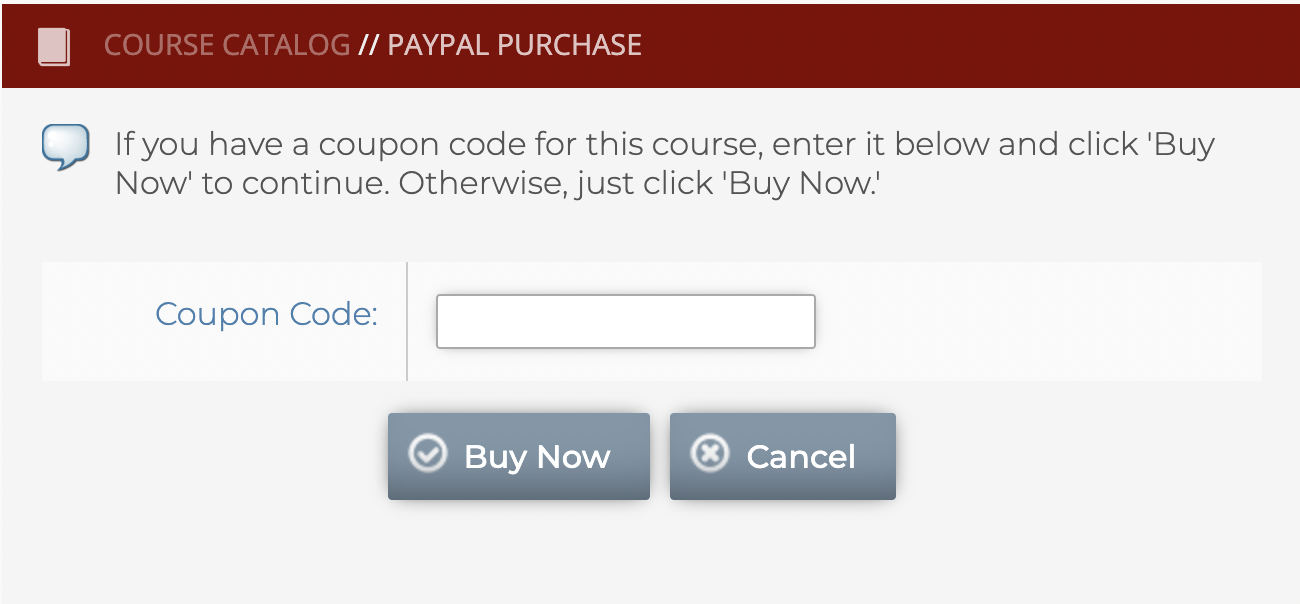
You will then see an option to type in a coupon code. To get the modules for free, type ‘COMFORT’.
Please note: You may receive a notification that you must complete your Paypall payment within one hour. You can disregard this (because it’s free!!). If you decide to use these modules in the class room, your students may use Paypall or credit for purchase.
You’re In! Click around, explore modules and download infographics!
Coupon Code: COMFORT
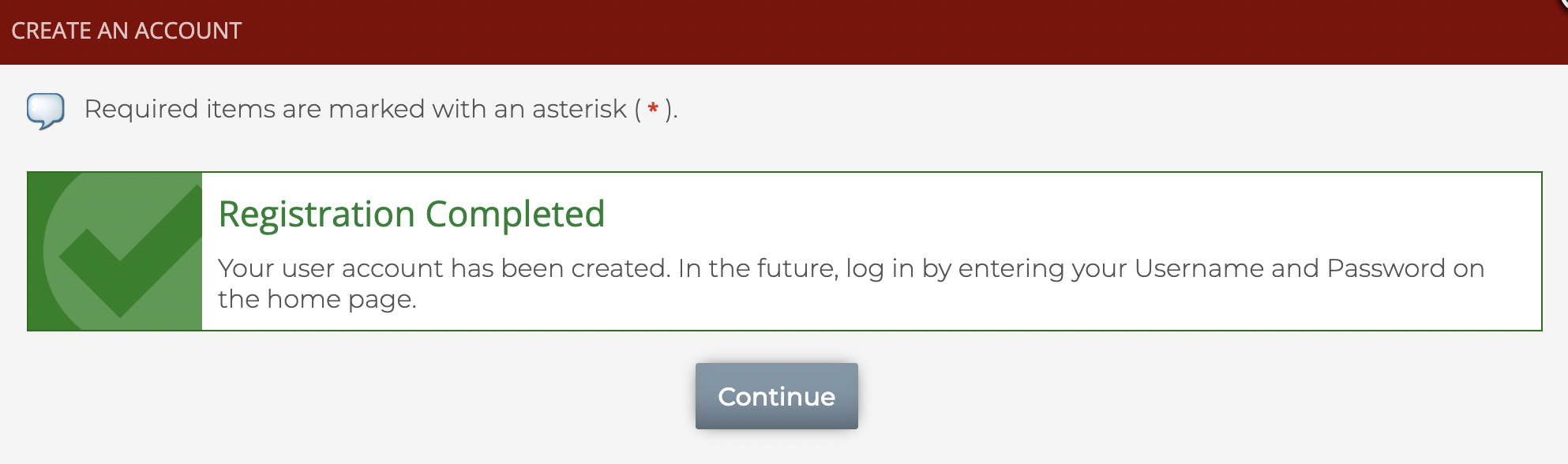
Once registered, you should see this screen. Press Continue.